
Media Modals
This method allows apps to interact with the Administration's media modal. Two modal types are supported:
- Media modal: Select existing media from the media library or upload new files. Available since Shopware 6.7.1.
- Save media modal: Choose a specific folder and filename when saving media. Available since Shopware 6.7.5.
ts
import { ui } from "@shopware-ag/meteor-admin-sdk";mediaModal.open()
Open the media modal in the current view.
Usage
ts
ui.mediaModal.open({
  initialFolderId: "initialFolderId",
  allowMultiSelect: false,
  fileAccept: "image/png",
  selectors: ["fileName", "id", "url"],
  callback: ([{ fileName, id, url }]) => {},
});
Parameters
All parameters are similar to the sw-media-modal-v2 component's props.
| Name | Required | Default | Description |
|---|---|---|---|
initialFolderId | false | null | Initial folder id where the media modal will open |
entityContext | false | null | The entity name that upload image will be stored in that entity folder in Upload tab |
allowMultiSelect | false | true | Define single or multiple selection |
defaultTab | false | library | Defines which tab should be opened by default |
fileAccept | false | image/* | Define the file types which are allowed to be uploaded in Upload tab |
selectors | false | ['fileName', 'id', 'url'] | Selected properties which should be returned for each item in the callback array |
callback | true | Callback function which receives an array of selected media items once a selection is made. |
Example

ts
ui.mediaModal.open({
  initialFolderId: "productMediaFolderId",
  allowMultiSelect: false,
  selectors: ["fileName", "id", "url"],
  callback: ([{ fileName, id, url }]) => {},
});
mediaModal.openSaveMedia()
Open save media modal in the current view.
Usage
ts
ui.mediaModal.openSaveMedia({
  initialFolderId: "initialFolderId",
  initialFileName: "New Image",
  fileType: "png",
  callback: ({ fileName, folderId, mediaId }) => {},
});
Parameters
All parameters are similar to the sw-media-save-modal component's props.
| Name | Required | Default | Description |
|---|---|---|---|
initialFolderId | false | null | Initial folder id where the media modal will open |
initialFileName | false | null | Initial file name of media to set as initial value of file name input |
fileType | false | null | File extension of media to display on file name input's suffix |
callback | true | This callback function is triggered when the "Save media" button is clicked. It returns the updated file name and the folderId where the media is stored. |
Example
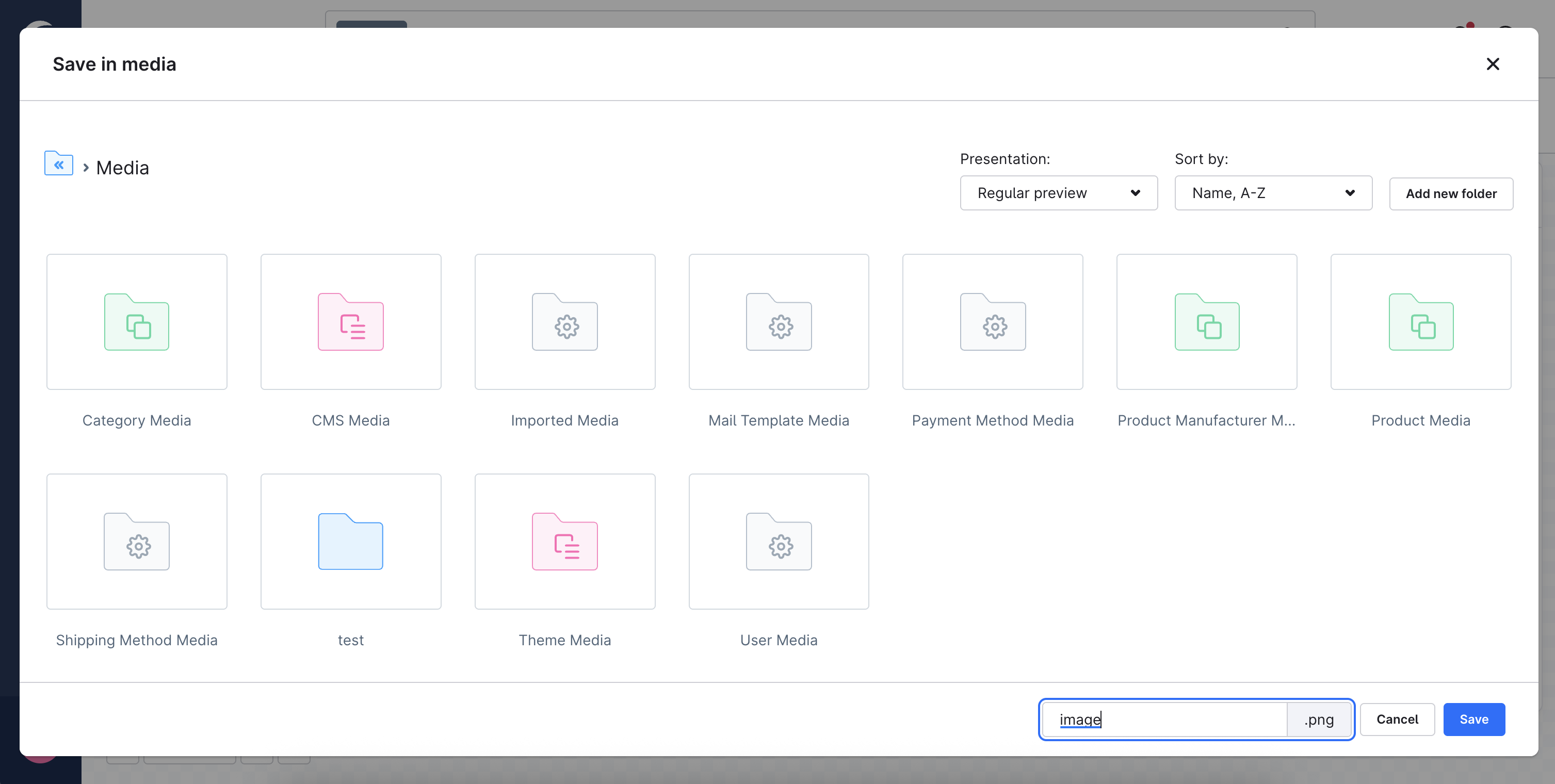
ts
ui.mediaModal.openSaveMedia({
  initialFileName: "images",
  fileType: "png",
  callback: ({ fileName, folderId, mediaId }) => {},
});