
Action Button
An action button adds a clickable button to an existing area of the Shopware Administration.
Action buttons are typically used to trigger extension-specific actions such as opening a modal, executing a workflow, or navigating to an extension module.
actionButton.add()
Usage
ts
import { location, ui } from "@shopware-ag/meteor-admin-sdk";

if (location.is(location.MAIN_HIDDEN)) {
  ui.actionButton.add({
    name: "your-app_customer-detail-action",
    entity: "customer",
    view: "detail",
    label: "Test action",
    callback: (entity, entityIds) => {
      // TODO: do something
    },
  });
}
Parameters
| Name | Required | Description |
|---|---|---|
name | true | A unique identifier for your action |
entity | true | The entity this action is for possible values: product, order, category, promotion, customer or media. Value media is available in Shopware version 6.7.1 |
view | true | Determines if the action button appears on the listing or detail page, possible values: detail,list or item. View item is only used for entity media and in version 6.7.1 |
label | true | The label of your action button |
meteorIcon | false | Meteor icon before label. Available since Shopware v6.7.4.0. Check icon name on https://developer.shopware.com/resources/meteor-icon-kit/ |
fileTypes | false | Media file types you want the action button to be displayed for. Available since Shopware v6.7.6.0. |
callback | true | The callback function where you receive the entity and the entityIds for further processing |
Return value
Returns a promise without data.
Calling app actions
As an app developer you may want to receive the information of the callback function server side. The following example will render the same action button as the above example but once it gets clicked you will receive a POST request to your app server.
This will only work for apps. Plugin developers must use an API client directly in their callback..
ts
import { location, ui } from "@shopware-ag/meteor-admin-sdk";

if (location.is(location.MAIN_HIDDEN)) {
  ui.actionButton.add({
    name: "your-app_customer-detail-action",
    entity: "customer",
    view: "detail",
    label: "Test action",
    callback: (entity /* "customer" */, entityIds /* ["..."] */) => {
      app.webhook.actionExecute({
        url: "http://your-app.com/customer-detail-action",
        entityIds,
        entity,
      });
    },
  });
}
Example: Add action button in customer detail page
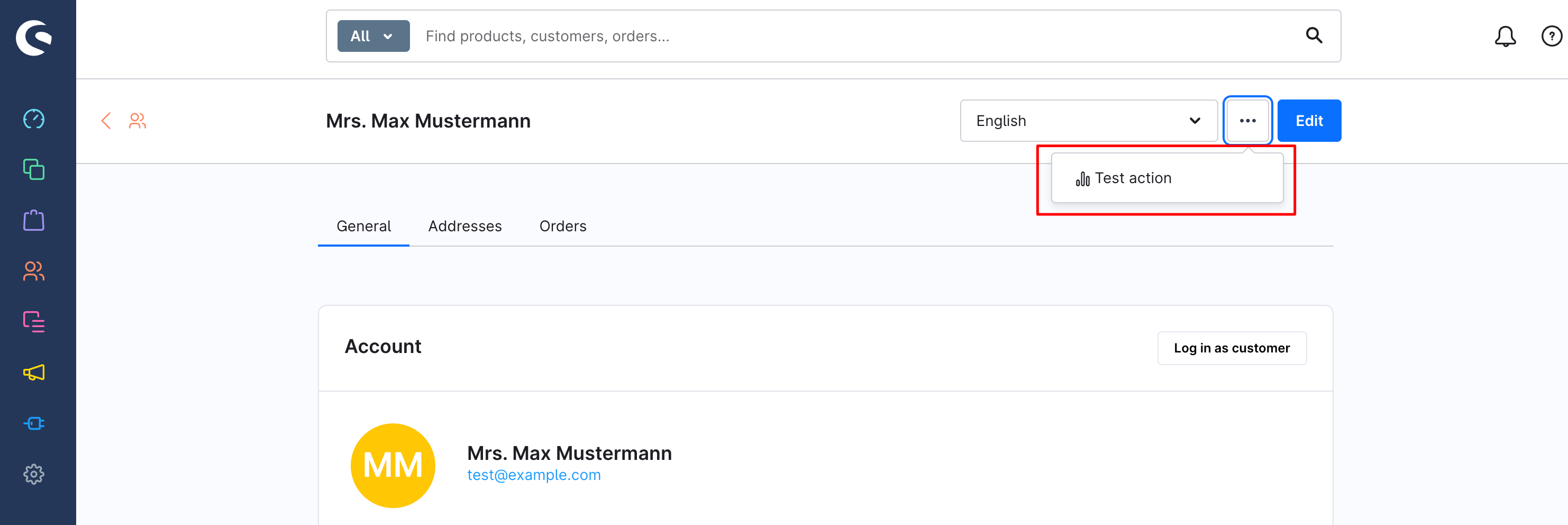
ts
import { ui } from "@shopware-ag/meteor-admin-sdk";

ui.actionButton.add({
  name: "your-app_customer-detail-action",
  entity: "customer",
  view: "detail",
  meteorIcon: "regular-analytics",
  label: "Test action",
  callback: (entity /* "customer" */, entityIds /* ["..."] */) => {
    app.webhook.actionExecute({
      url: "http://your-app.com/customer-detail-action",
      entityIds,
      entity,
    });
  },
});
Example: Add action button in media item
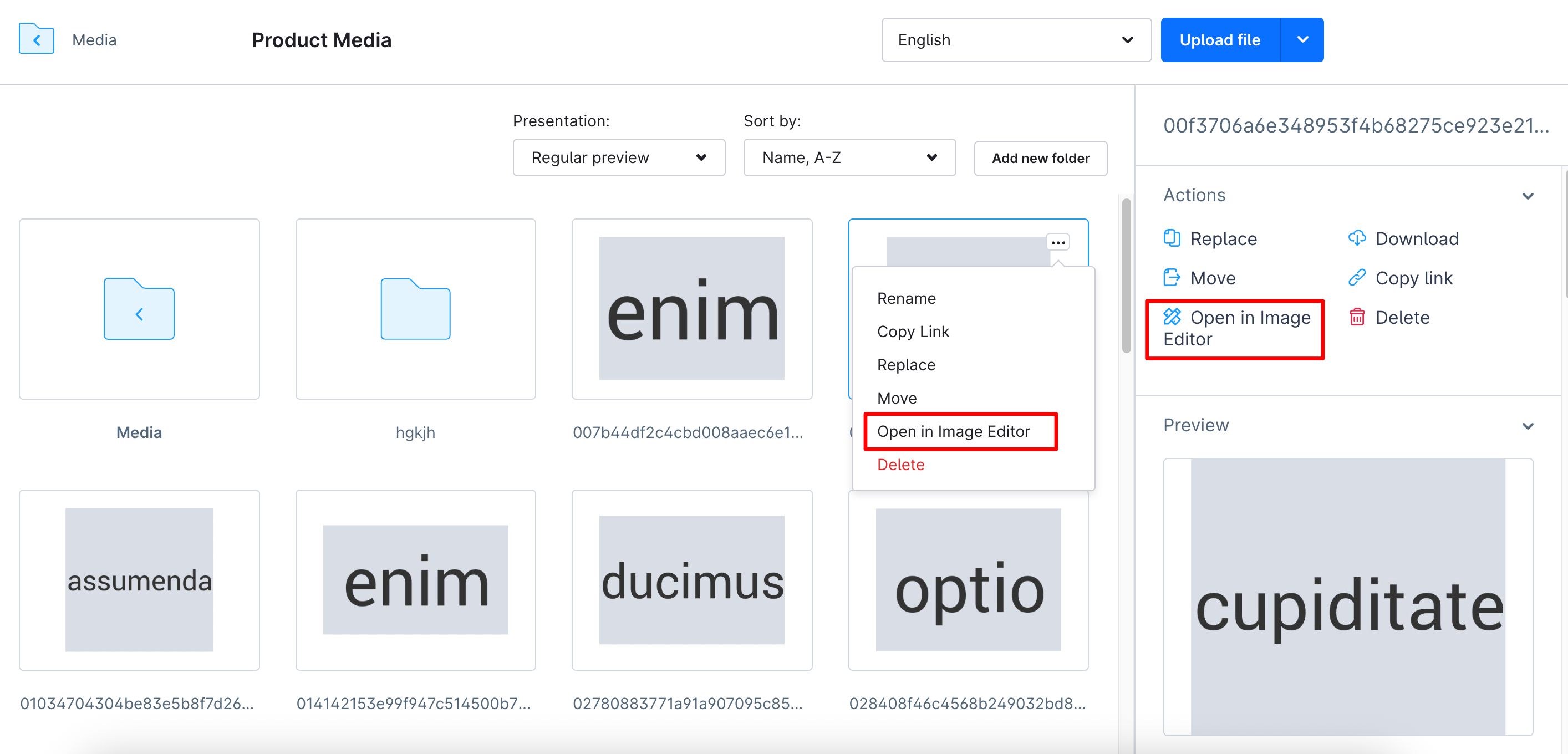
ts
import { ui } from "@shopware-ag/meteor-admin-sdk";

ui.actionButton.add({
  name: "test-media-button",
  entity: "media",
  view: "item",
  meteorIcon: "regular-tools-alt",
  label: "Open in Image editor",
  callback: (entity /* "media" */, entityIds /* ["..."] */) => {
    // TODO: Navigate to image editor app
  },
});